PnVision usage
PnVision is a command-line tool for processing OpenPnP inspection data, generating reports, analyzing component placement, and deploying the generated artifacts.
Usage
pnvision [OPTIONS] COMMAND [ARGS]...
Global options
Option |
Description |
|---|---|
|
Install completion for the current shell. |
|
Show completion for the current shell, to copy it or customize the installation. |
|
Show this help message and exit. |
Commands
Command |
Description |
|---|---|
Generate an HTML report from a scan. |
|
Stitch OpenPnP images into a single board image. |
|
Read a QR code from an image file and print the decoded contents. |
|
Read |
|
Print the installed |
|
Generate a collage of components sorted by designator. |
|
Detect if components are placed using traditional methods. |
|
Deploy CI-generated data to an OpenPnP machine. |
report
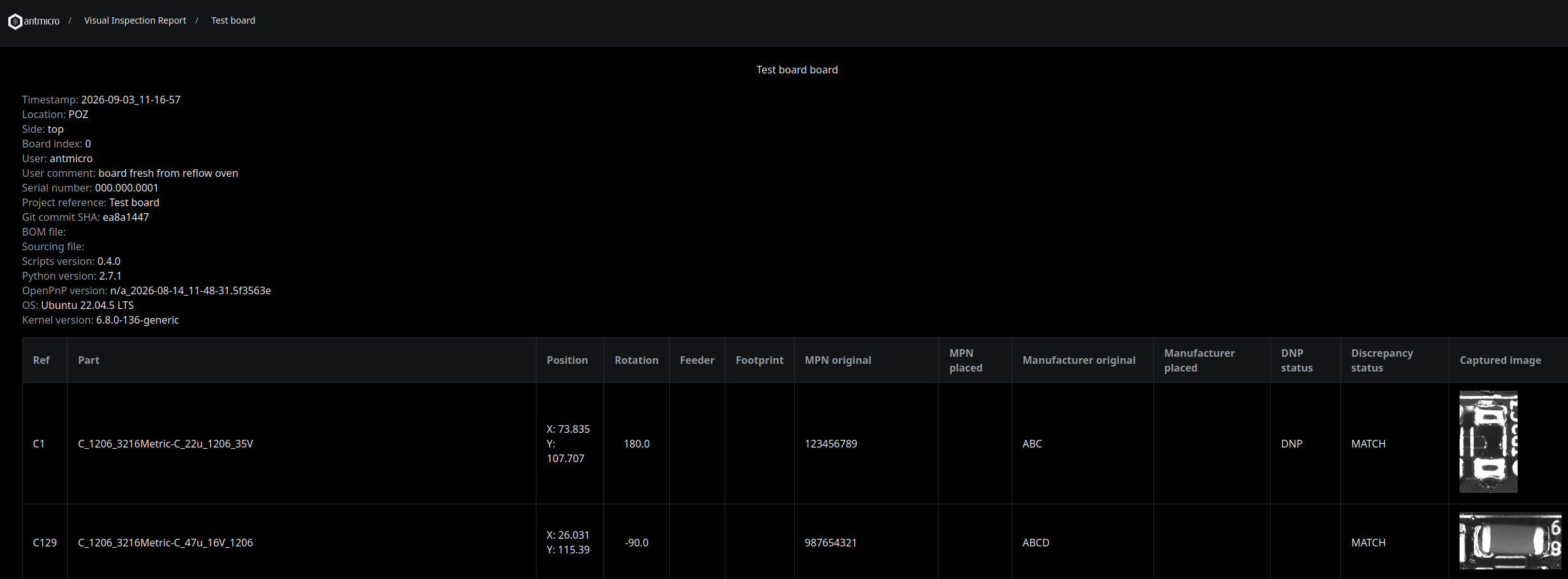
Generate an HTML report from a scan.
Usage
pnvision report [OPTIONS] <log_file_location>
Arguments
Argument |
Type |
Description |
|---|---|---|
|
path |
Location of |
Options
Option |
Type |
Description |
|---|---|---|
|
path |
Override the built-in template directory. |
|
— |
Show help and exit. |
Example
pnvision report ./report.json
Result
stitch
Stitch OpenPnP images into a single board image.
Usage
pnvision stitch [OPTIONS] <image_directory>
Arguments
Argument |
Type |
Description |
|---|---|---|
|
path |
Directory containing PNG images. Required. |
Options
Option |
Short |
Type |
Description |
|---|---|---|---|
|
|
path |
Output image filename. |
|
|
float |
Pixels per unit in X. |
|
|
float |
Pixels per unit in Y. |
|
|
flag |
Delete board tiles after stitching is finished. |
|
— |
— |
Show help and exit. |
Example
pnvision stitch ./images -o board.png
code
Read a QR code from an image file and print the decoded contents.
Usage
pnvision code [OPTIONS] <image_path>
Arguments
Argument |
Type |
Description |
|---|---|---|
|
path |
Path to the image containing the QR code. Required. |
Options
Option |
Description |
|---|---|
|
Show help and exit. |
Example
pnvision code ./qr-code.png
bom
Read *-BOM-ALL-ReferenceNotGrouped and return a list of DNP designators.
Usage
pnvision bom [OPTIONS] <bom_path>
Arguments
Argument |
Type |
Description |
|---|---|---|
|
path |
Path to the BOM. Required. |
Options
Option |
Description |
|---|---|
|
Show help and exit. |
Example
pnvision bom ./*-BOM-ALL-ReferenceNotGrouped.csv
version
Print the installed PnVision version.
Usage
pnvision version [OPTIONS]
Options
Option |
Description |
|---|---|
|
Show help and exit. |
Example
pnvision version
collage
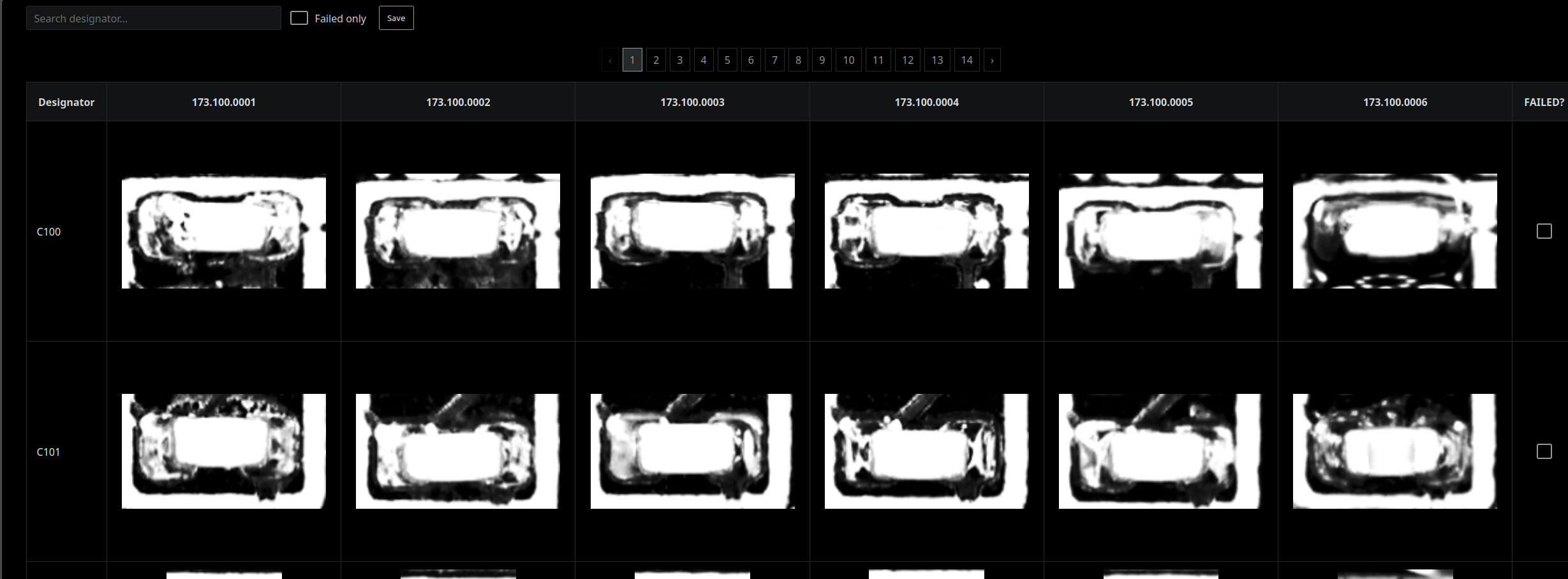
Generate a collage of components sorted by designator.
Usage
pnvision collage [OPTIONS] <scans_directory>
Arguments
Argument |
Type |
Description |
|---|---|---|
|
path |
Directory containing all scans. Required. |
Options
Option |
Short |
Type |
Description |
|---|---|---|---|
|
|
path |
Output collage directory. |
|
— |
— |
Show help and exit. |
Example
pnvision collage ./scans -o collage
Result
detect-cv
Detect if components are placed using traditional methods.
Usage
pnvision detect-cv [OPTIONS] <report_file> <components_directory>
Arguments
Argument |
Type |
Description |
|---|---|---|
|
path |
Location of |
|
path |
Directory containing PNG images. Required. |
Options
Option |
Description |
|---|---|
|
Save debug images to the |
|
Show help and exit. |
Example
pnvision detect-cv ./report.json ./components
To save debug images:
pnvision detect-cv ./report.json ./components --debug
deploy
Deploy CI-generated data to an OpenPnP machine.
Usage
pnvision deploy [OPTIONS] <artifacts_directory>
Arguments
Argument |
Type |
Description |
|---|---|---|
|
path |
Zip directory containing all data. Required. |
Options
Option |
Description |
|---|---|
|
Show help and exit. |
Example
pnvision deploy ./artifacts
Getting help
Show general help:
pnvision --help
Show help for a specific command:
pnvision <command> --help
For example:
pnvision stitch --help
pnvision detect-cv --help